
 Laptop & Tablet Parts

 Desktop & All-in-one Parts
 Dell Server Parts





In this Dell laptop tutorial we are going to show you how to install and replace the LCD Display Assembly on your Alienware m16 R2 laptop. These installation instructions have been made into 16 easy to follow printable steps. We have also created a video tutorial that shows you how to install your Alienware m16 R2 LCD Display Assembly.
Before you begin
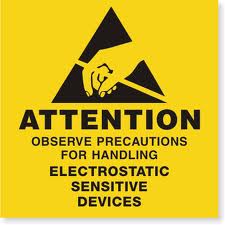 Please take the time read the following safety guidelines when working on static sensitive electrical components.
Dell repair manual service precautions
Tools needed for this laptop repair
- 1 x Phillips #0 screwdriver
- 1 x small plastic scribe
Alienware m16 R2 Screen
Alienware m16 R2 Screen
|

Eligible for $6.99 1st Class Shipping. Only 1 left in stock - order soon. 
Eligible for $6.99 1st Class Shipping. Only 13 left in stock - order soon. 
Eligible for $6.99 1st Class Shipping. In Stock DIY Discount - Parts-People.com offers 5% off to all DO-IT-YOURSELFERS!
Use this coupon code to save 5% off these parts DIYM514
|
Video tutorial repair manual
Installation and Removal Instructions
Alienware m16 R2 LCD Display Assembly

Step 1
- Before you begin: If you need help at any point, you can always contact Parts-People Repair Department for help with your diagnosis or repair.

Step 2
- TOOLS FOR THIS REPAIR: Phillips #0 and a Plastic Scribe.
- Unscrew the Bottom Base Cover (6 x M2 x 5mm) (2 X captive screws).
- Pry apart and remove the Bottom Base Cover.
  
|

Step 3
- Disconnect the Battery Cable.

|

Step 4
- Unscrew and then lift the hinge covers from the assembly (2 x 1.6mm x 2.5mm).
  
|


Step 6
- Unclip the locking tab and disconnect the power button cable.

|

Step 7
- Unscrew and remove the WiFi bracket (1 x 2mm x 3.5mm).

|


Step 9
- Unscrew the Heatsink (6 x captive screws) in the sequence labeled here.
- Unscrew the Cooling Fans (6 x M2 x 3mm).
 
|


Step 11
- Disconnect the camera cable.

Step 12
- Unclip the locking tab and disconnect the LCD cable.

|

Step 13
- Unscrew and then lift the left and right LCD Hinges (6 x 2.5mm x 3.5mm).
- Separate the LCD Display Assembly from the Palmrest.
  
|

Step 14
- BEFORE REPLACING THE HEATSINK: Wipe away any old thermal paste from the processors.
 
|

Step 15
- Wipe away any old thermal paste from the heatsink.
 
|

Step 16
- Apply a small amount of new thermal paste to the processors.
- ***FOLLOW THE ORIGINAL STEPS IN REVERSE TO REASSEMBLE YOUR LAPTOP.
  
|
Alienware m16 R2 Screen
Alienware m16 R2 Screen
|
|
Eligible for $6.99 1st Class Shipping. Only 1 left in stock - order soon.
Eligible for $6.99 1st Class Shipping. Only 13 left in stock - order soon.
Eligible for $6.99 1st Class Shipping. In Stock DIY Discount - Parts-People.com offers 5% off to all DO-IT-YOURSELFERS!
Use this coupon code to save 5% off these parts DIYM514
|